
The LeanSentry API allows you to programmatically control and retrieve data about your LeanSentry environment. The API is currently in pre-release mode, and may change.
General
You can access the LeanSentry API by making HTTPS requests to the following URI:
https://www.leansentry.com/api_v0/<method>[?parameters]
Where:
<method>: refers to one of the supported actions documented below.
[parameters]: querystring parameters specific to each method.
Authentication
To authenticate your request, you must provide the following information as HTTP Headers included with EACH API request:
LS-Environment-Id: The id of the environment your API request is targetting (if applicable).
LS-Environment-Key: The API key for the environment.
LS-Username: The username of a valid user on behalf of which your action will be performed.
You can obtain the API key in your environment settings page (restricted to account administrators):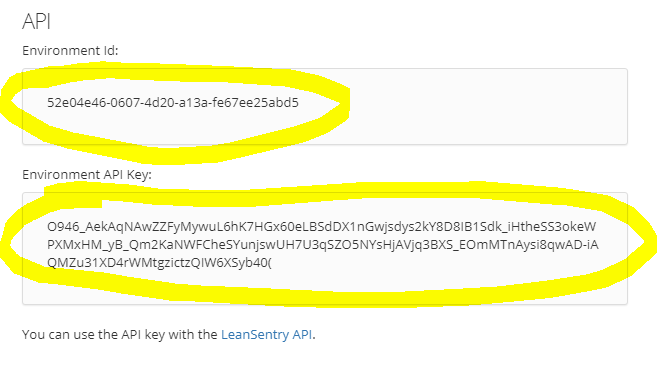
Response format
Review each method for specific HTTP response codes that it returns. In general, the method will return the following codes:
200: OK.
201: Created.
400: Invalid input.
404: Target/object not found.
403: Not authorized.
500: Error.
The response will be provided in a JSON format as follows:
{
status: "OK" | Error code
statusDetail: Detailed description of the error if any
data: Any data object returned, if applicable
}
API documentation
GetServers
Lists all currently configured servers being monitored by LeanSentry in your environment.
Parameters
None.
Response
List of servers:
{
servers: [
{
id: "<serverid>",
name: "<name>",
status: "<status>",
lastUpdated: <date>,
online: <bool>
},
...
]
}
SetServerStatus
Brings the server offline/online (Business tier only). See Offline mode for more information.
Parameters
serverId: the id of the target server
online: true|false, whether to bring the server online (false = bring offline).
Response
202: the change has been made, see statusDescription for details.
200: no change made.
Comments
0 comments
Please sign in to leave a comment.